Teen Patti Master Withdrawal Guide – Cash Out Your Balance
Teen Patti Master lets you cash out your winnings through JazzCash or EasyPaisa. Below you’ll find the exact steps, the payment methods, the limits, and what to do if a withdrawal doesn’t go through.
Table of Contents
How to Withdraw Money from Teen Patti Master
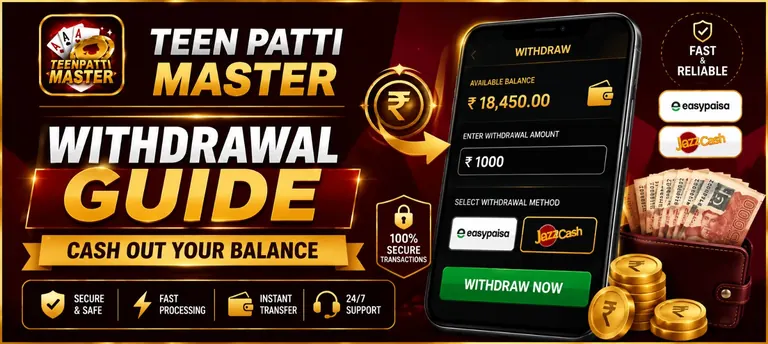
Open the Wallet Section
Log in to the app and go to the Wallet section from the main menu.
Tap Withdraw
Select the Withdraw option, then choose JazzCash or EasyPaisa as your method.
Enter the Amount
Type in how much you want to withdraw, making sure it meets the minimum limit.
Confirm Your Details
Double-check your account number or mobile number before submitting the request.
Wait for Processing
Most withdrawals are processed within a few minutes during active hours, though it can occasionally take longer.
Supported Withdrawal Methods
Withdrawals go out through the same payment methods most Pakistani players already use for deposits:
JazzCash
Send your balance straight to your JazzCash mobile wallet.
EasyPaisa
Withdraw directly to your EasyPaisa wallet using the same account you deposit from.
Bank Transfer
Available on some accounts as an alternative to mobile wallets.
Minimum and Maximum Withdrawal Limits
| Payment Method | Minimum | Maximum |
| JazzCash | PKR 500 | PKR 50,000 |
| EasyPaisa | PKR 500 | PKR 50,000 |
These limits apply per single withdrawal request, not a daily total, and can vary depending on your account and the payment provider’s own rules.
Is It Safe to Withdraw?
Yes, withdrawing through the app’s own Wallet section is safe, since your request goes directly to your JazzCash or EasyPaisa account with no third party involved. We’re not the developer of Teen Patti Master, so we can’t speak to how it processes payments internally, but as long as you stick to the built-in Wallet feature, double-check your account details before confirming, and keep a record of your request, there’s nothing unusual to worry about.
Withdrawal Problems and Solutions
| Problem | Solution |
| Withdrawal stuck on pending | Give it some time, especially outside active hours. If it’s been over 30 minutes, check the status in your Wallet or contact support. |
| Withdrawal request rejected | Confirm your account details are correct and that the amount meets the minimum limit, then try again. |
| Money not received despite “completed” status | Check your JazzCash or EasyPaisa transaction history first, then contact support with your withdrawal reference if it’s still missing. |
| Withdraw button greyed out | This usually means your balance is below the minimum withdrawal amount, or the app needs updating. |
Conclusion
Getting your balance out of Teen Patti Master comes down to a few taps — open the Wallet, pick JazzCash or EasyPaisa, enter the amount, and confirm your details. Most requests clear within minutes, whether you’re playing on a registered account or as a guest. If one gets stuck, the fixes above cover what usually causes it, so there’s rarely a need to wait it out blindly.